
Electric Master: NEC Panel
Electrician calculators and a panel planner for iPhone and iPad.
Every code calculation names the section it used (Table 310.16, Chapter 9, 250.122, Article 220), so you can check it against your book and show your work to an inspector.

Scan with your iPhone camera to open Electric Master in the App Store.
Free download · In-app purchases · iOS and iPadOS 17 or later
Screenshots
What's inside
Under the NEC the app has 20 calculators, plus Panel Planner for laying out a whole panel.
Conductors and voltage drop
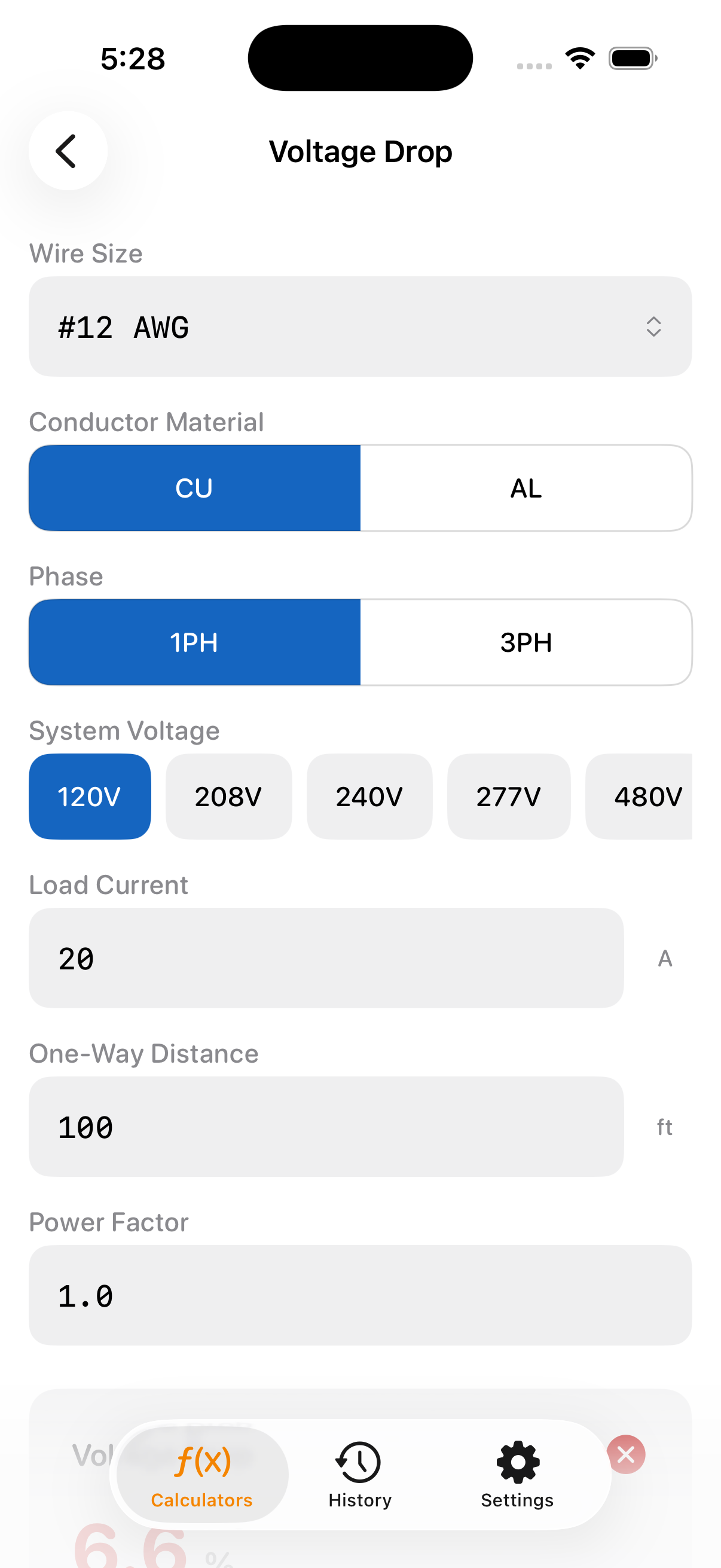
- Voltage Drop: branch circuits and feeders, with the 3%/5% check
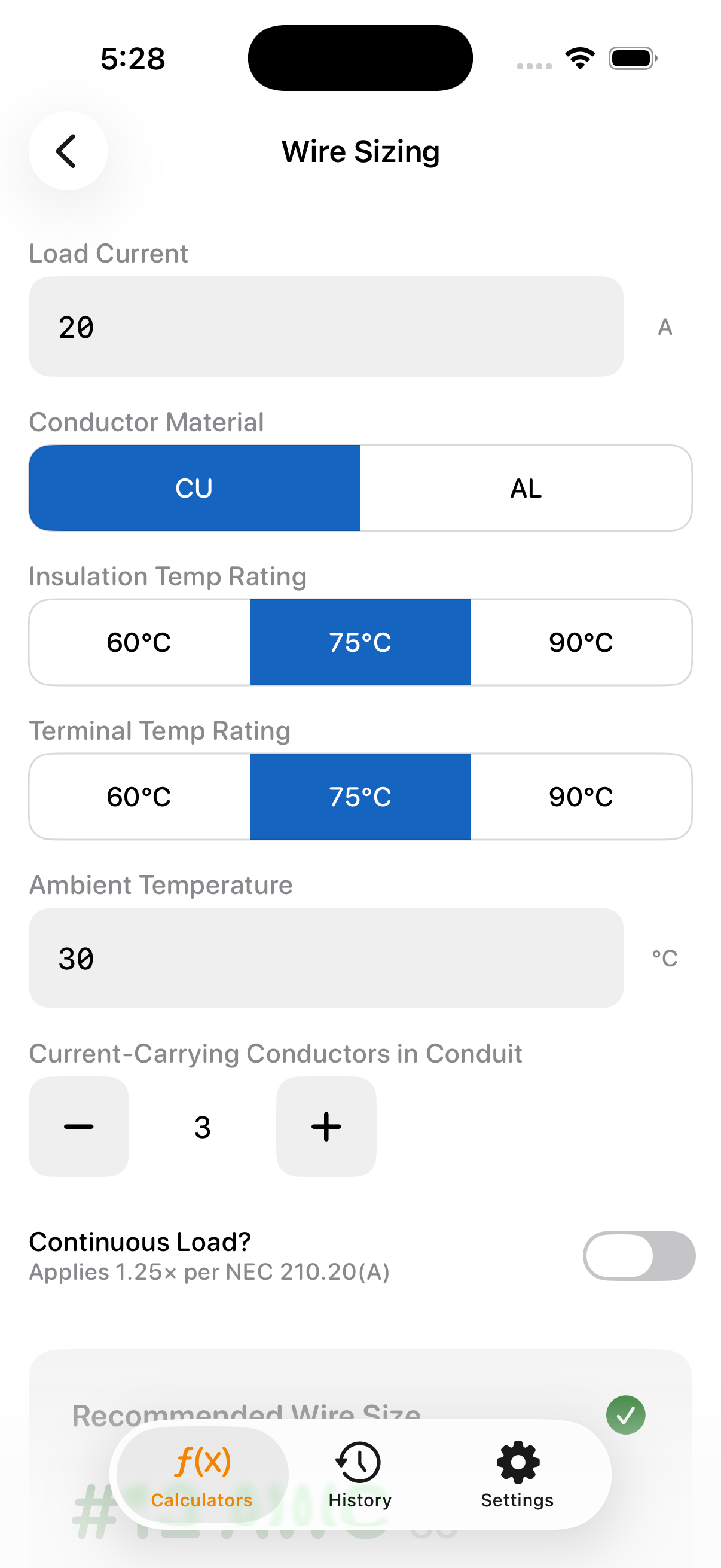
- Wire Sizing: ampacity with insulation and terminal temperature limits, ambient and conductor-count corrections, and the 125% continuous-load factor
- Ampacity: Table 310.16, 14 AWG to 2000 kcmil, 60/75/90 °C
- Derating: ambient temperature and conductors in a raceway
Raceways and boxes
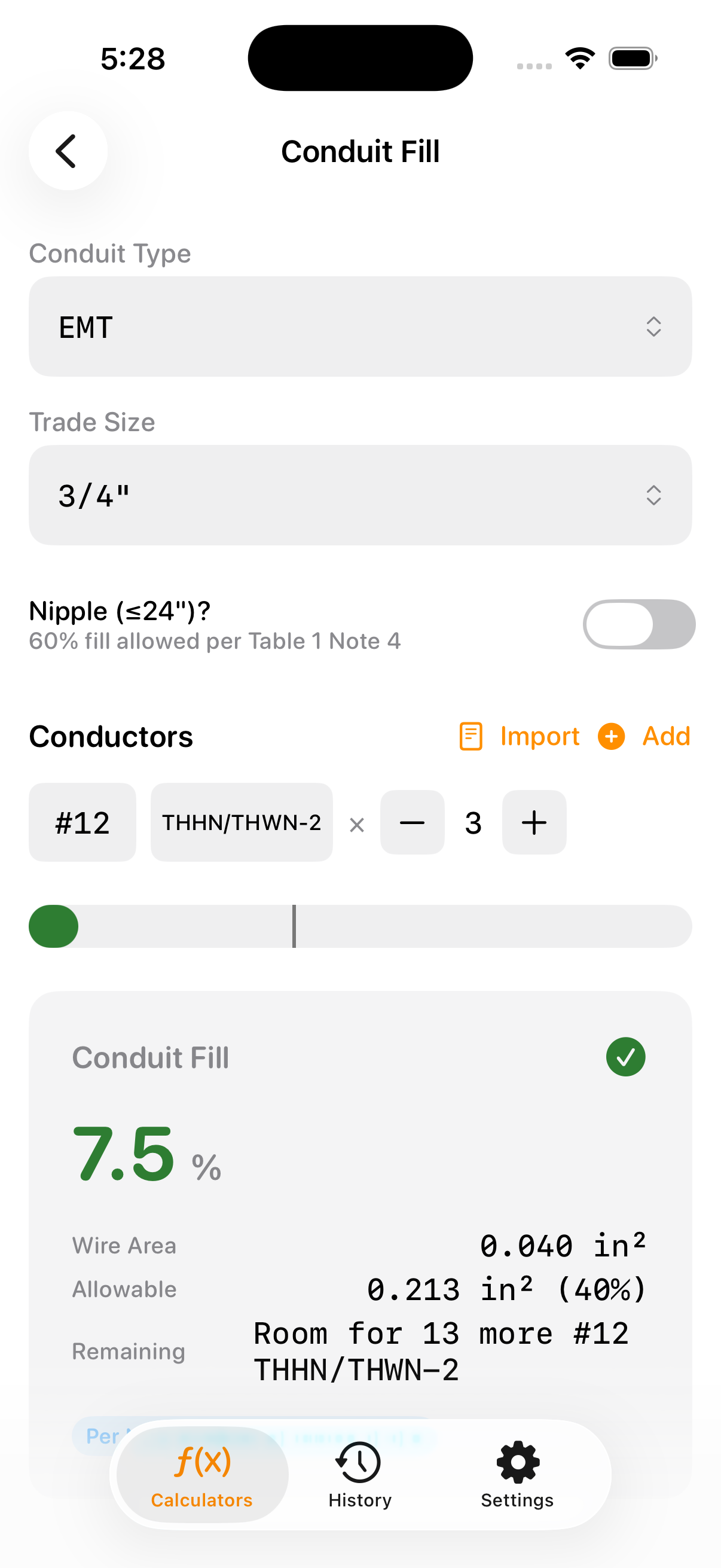
- Conduit Fill: EMT, IMC, RMC, PVC Schedule 40 and 80, and FMC
- Conduit Bending: 9 bend types, bender presets and an on-screen level
- Box Fill: box sizing per 314.16
Grounding
- Ground Wire: equipment grounding conductor per 250.122
- Grounding Electrode: grounding electrode conductor per 250.66
Loads and services
- Load Calc: dwelling service sizing per Article 220
- Non-Dwelling Demand: lighting-load demand factors for hospitals, hotels and motels, warehouses and other occupancies
- Service Entrance: service disconnect size per Article 230, with the 125% continuous-load factor
- EV Charger: EVSE branch circuit and load
Equipment and protection
- Motor Calc: branch circuit protection per Article 430
- Transformer: overcurrent protection per Article 450
- Fault Current: available short-circuit current
- Selectivity: coordination between protective devices
Everyday math
- Ohm's Law
- Power Triangle: kW, kVA, kVAR and power factor
- 3-Phase
The set follows the code you pick: 16 calculators under the CEC, BS 7671 or DIN VDE 0100.
Panel Planner
Lay out the actual panel on screen. Put breakers (including GFCI, AFCI and dual-function), busbars and terminals on the rail, wire them up and name every circuit.
Then export a PDF with your logo: a to-scale drawing of the panel, the panel schedule with its circuit directory (NEC 408.4), a bill of materials and an element schedule.
Four codes in one app
NEC 2023 and 2026, CEC 2024 (CSA C22.1), BS 7671 and DIN VDE 0100. The app picks a code from your device region (CEC 2024 in Canada, BS 7671 in the UK, DIN VDE 0100 in Germany, NEC 2023 everywhere else), and you can switch the standard or the edition in Settings at any time.
Free and Pro
No account and no ads, whether you pay or not.
Free
- The download
- Your first visit to every calculator: open one and run as many numbers as you like before you leave it
- Panel Planner: with a starter set of devices
Pro
Pro Lifetime
US$59.99 one-time
No subscription, nothing renews.
Pro Monthly
US$9.99 a month
Renews monthly until you cancel it in your Apple Account settings.
Pro unlocks every calculator without limit, the full Panel Planner device library and PDF export. Prices are for the App Store in the US; in Canada they are CA$79.99 and CA$12.99, and elsewhere the App Store shows your local price. There is no free trial and no yearly plan.
Built for the job site
- Works with no signal: in a basement, on a roof, in a crawlspace. The app makes no network requests of its own; only buying or restoring Pro needs a connection.
- No account, no ads in the app, no tracking: your work stays on your device; ad measurement with Meta only if you allow it.
- PDF reports: with your company logo, name, license number and contact details, on US Letter, A4 or 11 × 17.
- History, jobs and comparison: results from most calculators saved to History, filed under a job when you choose, and two results compared side by side.
- Siri, Shortcuts and a Home Screen widget: common calculations by voice, and your last result at a glance.
- High-contrast field mode: for bright sun and dark basements.
Questions
Which code edition does it use?
In the US it starts on NEC 2023, and NEC 2026 is one switch away under Settings → Code Edition. In Canada it starts on CEC 2024. You can change the standard at any time under Settings → Electrical Standard.
Does it replace my code book?
No. It shows its work and names the section it used, so you can check the result. The edition and local amendments your AHJ has adopted always have the final word.
What exactly is free?
The download, Panel Planner with a starter set of devices, and the first visit to each calculator on your device. After that first visit a calculator needs Pro, and so do the full device library and PDF export.
I already bought Pro. How do I get it on a new iPhone?
Sign in with the same Apple Account, open Settings → Upgrade to Pro in the app and tap Restore Purchases. Pro Lifetime can also be shared with your Family Sharing group. More help
Where is my data?
Only on your device. There is no account and no cloud sync, and the app itself sends us nothing; only an email you write reaches us. Privacy policy
Does it run on iPad?
Yes. It runs on iPhone and iPad with iOS or iPadOS 17 or later.
A number looks wrong, or a device is missing.
Tell us: Settings → Report a discrepancy for a calculation, Settings → Send feedback for anything else, or email hello@laborsam.com. Support
Calculators on the web
Several NEC calculations also run in your browser, each with its formula, a worked example and the code reference.
Try it on your next job
Free to download, for iPhone and iPad.
Get Electric Master on the App Store